Why Won't My Touchless Trash Can Open?
For an iTouchless trash can not opening, check the lid lock, batteries or adapter connection, and sensor area first. Clear anything caught around the lid, then follow your exact model's troubleshooting steps.
On this page (9 sections)
- Why is my iTouchless trash can not opening?
- Could the lid lock be stopping it from opening?
- Could dead batteries keep the sensor lid closed?
- How can I tell if the sensor is blocked?
- What if the lid starts moving but won't open fully?
- When should you contact iTouchless instead of buying parts?
- Which replacement setup suits your kitchen?
- How should you set up and care for a sensor can?
- What should you do next if your iTouchless trash can isn't opening?
If your iTouchless trash can isn't opening, check the lid lock, power source, and sensor area first. Then check for a trapped bag edge or trash blocking the lid before you consider buying anything.
A closed lid doesn't automatically mean the whole can needs replacing. Work through the checks below in order, changing one thing at a time so you can tell what restores operation.
Why is my iTouchless trash can not opening?
The first checks are a lock left on, a power problem, or something blocking the sensor or lid. Your model's controls determine the exact steps, so identify the model before following reset advice.
Use this order:
- Turn off any manual lid lock.
- Move nearby objects away from the sensor and lid.
- Clean the sensor area as the manual directs.
- Check battery installation or the adapter connection.
- With power off, inspect the lid path for a caught liner or trash.
- Restore power and try opening the lid as instructed.
Keep your hands clear when power is on. Don't pry the lid upward, press it down against the motor, or repeatedly trigger it while it struggles to move.
Notice whether the lid stays silent, makes a sound, or starts moving and stops. These details help support narrow the problem, though none proves which part has failed.
Could the lid lock be stopping it from opening?
Yes, the manual lock disables lid opening on the iTouchless 13 Gal Pet Lock Sensor Can. Its Pet Lock and Child Lock switch sits on the side of the lid.
Check this control before replacing batteries or looking for a reset. Someone may have engaged it to keep a pet or child away from the trash.
This model suits households that want sensor access during food prep and a manual lock between uses. Skip it if you want a pet barrier that requires no one to remember to engage a switch.
The lock is only useful when the household uses it consistently. Our guide to dog-proofing a kitchen trash can covers placement and other ways to limit access.
Don't assume another iTouchless model has the same control. Find the lock in your own manual rather than pushing an unfamiliar switch or forcing a latch.
Could dead batteries keep the sensor lid closed?
Yes, depleted or incorrectly installed batteries can stop a powered lid from opening. Use the battery type and quantity specified for your model.
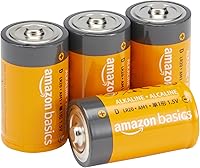
Switch off the can before opening its battery compartment, following the manual's directions. Replace the full set together, match the polarity marks, and seat the compartment cover correctly.
Don't mix old and new batteries or different battery types. If you see leakage or damaged contacts, stop and seek the manufacturer's care instructions rather than scraping the compartment or adding fresh batteries.
For the replacement steps, see how to change batteries in a sensor trash can. Battery-life estimates aren't a diagnosis: check the power source even if you expected the batteries to last longer.
Can an adapter help an iTouchless trash can that won't open?
An adapter can supply power to a compatible can, but it won't fix a blocked lid, engaged lock, or failed mechanism. Buy one when plug-in power fits your setup, rather than assuming it will solve an unexplained fault.
The iTouchless Official AC Power Adapter supports the brand's sensor cans from 2.5 to 23 gallons. Its cord measures 5 ft 10 in, so measure the safe route to your outlet before ordering.
Choose it if you have a compatible can near an outlet and want to stop replacing batteries. Skip it if the cord would cross a walkway, sit near spills, or force the can into an awkward spot.
Check that the outlet works and that the connections are secure, with dry hands. Follow your model's instructions about batteries when switching to adapter power.
iTouchless warns that another brand's adapter will void the manufacturer's warranty. A connector that fits isn't enough to establish compatibility.
How can I tell if the sensor is blocked?
Clear and clean the sensor area, then try it with open space around the can. Grease, food splashes, or nearby objects can interfere with normal use.
Follow the manual's cleaning method and avoid spraying cleaner directly onto the lid. Don't immerse the electronic lid or let liquid run into its controls.
Check for a cabinet overhang, hanging towel, or nearby object in front of the sensor. Move the can temporarily to an open spot to separate a placement problem from a problem with the can.
If that helps, choose a permanent location with room for both your hand and the moving lid. Our guide to where to put a kitchen trash can can help you plan the space.
Clean the steel body separately from the electronic lid. Follow our stainless steel trash can cleaning guide for the outer surface.
What if the lid starts moving but won't open fully?
Look for a physical obstruction before trying more sensor passes. A folded bag edge, overfilled liner, or piece of packaging can catch in the lid's path.
Turn off power before inspecting the opening. Remove the obstruction without forcing moving parts, then refit the bag so loose plastic stays clear of the mechanism.
Empty an overfilled bag instead of compressing trash against the lid. Leave enough room for the top to move freely after every bag change.
Also check overhead clearance. A can that fits beneath a counter while closed may hit it when the lid rises, so allow room for the full opening movement.
If movement remains uneven or stops at the same point, pause further attempts and contact iTouchless. Record the symptom rather than guessing that the sensor itself needs replacing.
When should you contact iTouchless instead of buying parts?
Contact support after the basic checks fail, or sooner if you find damage, leaking batteries, or a damaged power cord. Avoid opening the motor housing or attempting a repair outside the manual's instructions.
Have the model number, power source, and a short account of the problem ready. Mention whether fresh batteries changed anything and whether the lid stays silent, makes noise, or moves partway.
Ask whether your model has a specific reset procedure and whether service or replacement parts are available. Confirm any warranty coverage before spending money on an accessory or replacement can.
A reset sequence for a different model can waste time and confuse the diagnosis. Use instructions for your exact can.
Should you replace a can whose sensor lid won't open?
Replace it when service isn't practical or the can no longer suits your kitchen. Compare the cost and availability of a repair with the value of keeping a body and lid setup you already like.
You can compare sensor-can features in our touchless trash can guide. Focus on placement, controls, and power access rather than treating every automatic can as interchangeable.
Which replacement setup suits your kitchen?
Choose the Pet Lock model for manual access control, or the oval Sensor Can when its shape fits your space better. Keep your current can if a simple power or clearance check restores normal use.
The iTouchless 13 Gal Pet Lock Sensor Can has a rectangular stainless steel body measuring 12.7 x 10.8 x 27.3 in. It takes standard 13-gallon kitchen bags, includes an AbsorbX carbon odor filter, and has a soft-close lid.
Choose it for a household that will use its lock and wants to keep buying standard bags. Skip it if the height won't work in your chosen spot or remembering the lock would become a daily nuisance.
The iTouchless Stainless 13 Gal Sensor Can has an oval body measuring 16 x 11.4 x 25.3 in. It accepts standard tall kitchen bags, includes an AbsorbX filter, and runs on 4 D batteries or a separately sold official adapter.
Choose this model if its lower height and oval footprint suit the available floor space. Skip it if the wider footprint crowds a walkway, and measure overhead clearance before placing it below anything.
If changing batteries and managing sensor placement don't fit your routine, consider a pedal-operated can. Our touchless versus step trash can comparison explains that choice.
How should you set up and care for a sensor can?
Set it up with clear lid space, a correctly fitted liner, and an accessible power source. Check normal opening before filling the first bag so placement problems are easier to spot.
Keep the manual somewhere you can find it, and note the model number for future battery changes or support requests. Route any power cord away from foot traffic and wet cleaning areas.
At each bag change, check for loose liner edges and wipe away spills before they dry. Treat an odor filter as one part of odor care, alongside removing food waste and cleaning residue from the can.
Don't cover the sensor with a cloth or stack items on the lid. These habits can turn a working can into one that seems unresponsive or cannot open freely.
What should you do next if your iTouchless trash can isn't opening?
For an iTouchless trash can not opening, buy nothing until you've checked the lock, power, sensor area, and lid path. If those checks restore operation, keep the can and adjust the habit or placement that caused the trouble.
Choose the official adapter when your compatible can needs a more convenient power setup. Choose a replacement only after support guidance or a clear change in your kitchen needs makes that the better option.
If battery power is your next check, follow our iTouchless battery replacement guide before ordering a new can.
Frequently asked questions
Why won't my iTouchless trash can open?
Start with the lid lock, power source, and sensor area. A lock can disable opening, while depleted batteries or a loose adapter connection can leave the lid without power.
Clear any liner or trash caught around the lid, then follow your exact model's troubleshooting instructions if it still won't respond.
How do I reset an iTouchless trash can sensor?
Use the reset steps in your exact model's manual because controls and procedures can differ. First check the lock, power source, and sensor area so you don't overlook a simple cause.
Avoid button sequences meant for another model, and keep your hands clear whenever you restore power.
Can low batteries stop a touchless trash can from opening?
Yes, depleted batteries can keep a powered sensor lid from opening. Replace the full set with the type and quantity your manual specifies, matching the compartment's polarity marks.
Don't mix old and new batteries.
If a fresh set doesn't restore operation, check the lock, sensor area, and lid clearance.
Can I use any AC adapter with an iTouchless trash can?
Use the official iTouchless adapter with a compatible can, rather than choosing one because its plug fits. iTouchless says its adapter supports its sensor cans from 2.5 to 23 gallons and warns that another brand's adapter will void the manufacturer's warranty. Confirm your model's connection instructions before use.